
WhatsNotify
Send automated WhatsApp order notifications and recover abandoned carts for WooCommerce, directly through Meta's Cloud API.
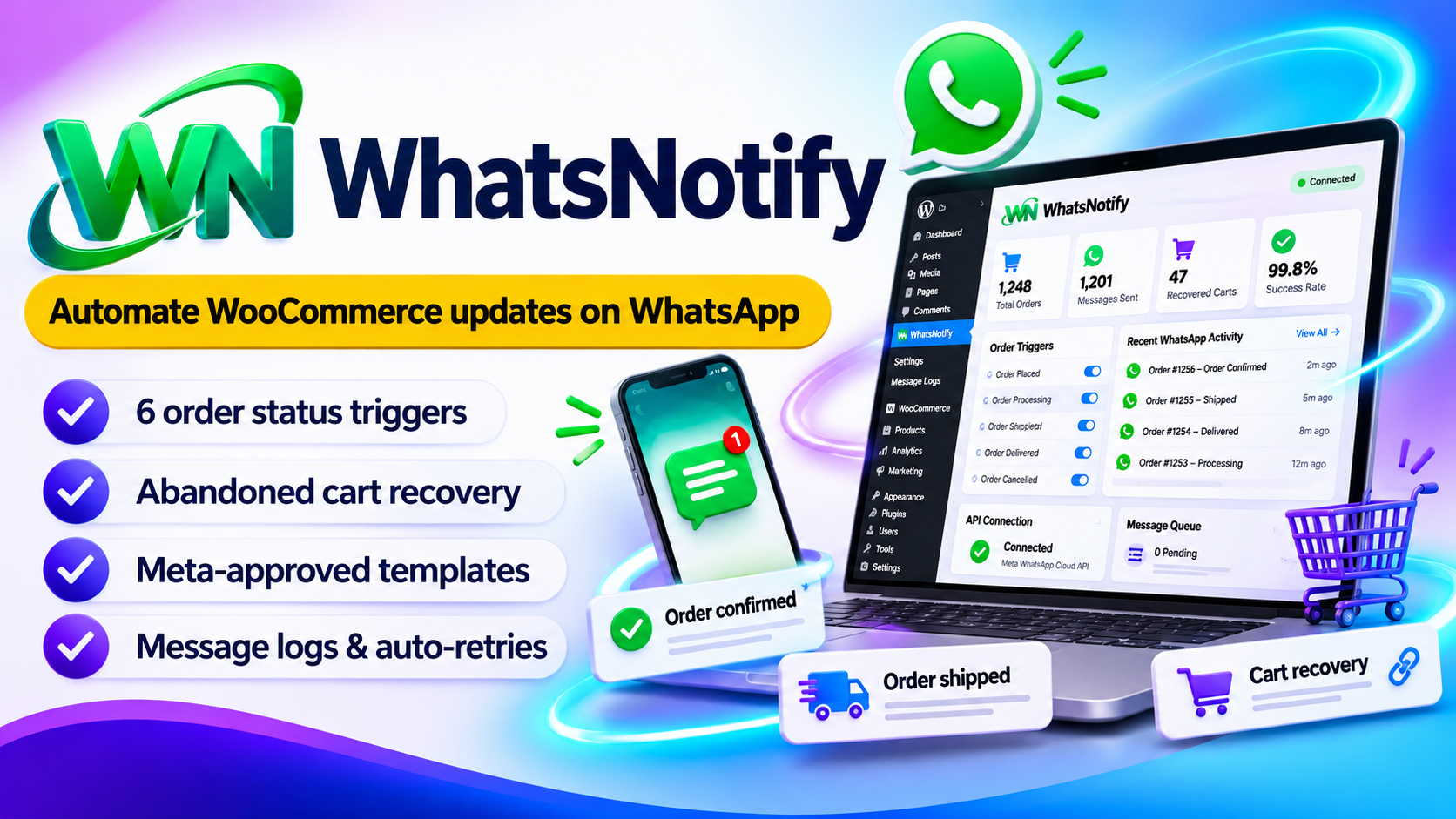
Keep every customer in the loop on WhatsApp
WhatsNotify: WhatsApp order updates built right into WooCommerce
WhatsNotify sends a WhatsApp message each time an order changes status, and reminds customers about carts they left behind. It talks directly to Meta's Cloud API, so there is no middleman.
You pay for the plugin once, with no plugin subscription and no relay fee. You only pay Meta for the messages you send.
What you get
- Notifications for Processing, Shipped, Out for Delivery, Completed, Cancelled and Refunded
- Abandoned cart recovery with a one-click cart restore link
- Message queue processed every 2 minutes, with up to 3 automatic retries
- Meta template support with dynamic parameters
- Full message log: search, filter, retry and export to CSV
- Adds "Shipped" and "Out for Delivery" order statuses to WooCommerce
- GDPR-friendly opt-in checkbox at checkout
The real problem: customers are left wondering about their orders
After a customer pays, many stores go quiet. The customer waits, wonders where the order is, and then writes to you. Others add products to the cart and simply never come back.
Customers don't know what's happening
No update after checkout means doubt. Is the order confirmed? Has it shipped? Nobody tells them.
"Where is my order?" messages
Every customer who has to ask is a support message you have to answer by hand, again and again.
Abandoned carts go to waste
People add products, get distracted and leave. Without a reminder, that sale is simply lost.
Emails go unread
Order emails often sit in a crowded inbox or land in spam, so the customer never sees the update.
Many notification tools have problems of their own
- Many charge a monthly fee on top of what Meta charges
- Many send your messages through their own servers
- Some lose a message silently when sending fails
- Some cover only order updates and skip cart recovery
The solution: WhatsNotify keeps customers informed on WhatsApp
Each problem above is handled by a dedicated feature. Here is exactly what fixes what.
| Problem | How WhatsNotify solves it |
|---|---|
| Customers don't know what's happening | An automatic WhatsApp message for each order status, switched on or off per trigger |
| "Where is my order?" messages | Shipped and Out for Delivery statuses with tracking details sent to the customer |
| Abandoned carts go to waste | A recovery message after 1 hour with a one-click link that restores the whole cart |
| Messages get lost | A queue that sends up to 50 messages every 2 minutes, with up to 3 automatic retries |
| Can't see what was sent | A message log with status, error details and retry count, plus CSV export |
| Extra fees and middlemen | Direct connection to Meta's Cloud API, with no relay and no extra subscription |
| Privacy and consent worries | An opt-in checkbox at checkout with your own label |
Connect once, then let it run
Enter your Meta credentials, map your templates, and WhatsNotify handles the messages from then on.
Messages customers read
Order updates arrive on WhatsApp, where customers already spend their time.
Pay once for the plugin
No monthly plugin bill and no relay fee. You only pay Meta for the messages you send.
Win back lost carts
A reminder with a restore link brings customers straight back to their cart, with no login needed.
Nothing silently lost
Failed messages are retried up to 3 times, and you can retry any message by hand.
Test before going live
Send a test message to your own number and watch a live preview while you type.
See everything at a glance
A dashboard with stats, trigger overview, recent messages and API health.
Two paths. Which one will you choose?
😟 Without WhatsNotify
- Customers wait with no news about their order
- You answer "where is my order?" by hand
- Abandoned carts are forgotten
- Order emails get buried in the inbox
- You pay a relay service or go without
😎 With WhatsNotify
- Customers get a WhatsApp message at every step
- Shipping and tracking updates go out on their own
- Abandoned carts get a one-tap restore link
- Failed messages are retried automatically
- You pay once for the plugin and only Meta for messages
What does it cost per site? See for yourself
Divide the license by the number of sites and each site costs very little.
($29 / 10 sites)
($59 / 50 sites)
($129 / 100 sites)
The plugin is a one-time payment. Meta bills you separately for the messages you send.
Who is WhatsNotify for?
- WooCommerce store owners who want customers to hear about their order right away
- Stores that lose sales to abandoned carts
- Shops tired of answering "where is my order?" messages
- Freelancers and agencies building WooCommerce stores for clients
Still thinking? Common questions
"Do I need a third-party service?"
No. WhatsNotify talks directly to Meta's Cloud API, with no relay and no extra subscription.
"What do I pay Meta?"
Only what Meta charges for the messages you send. The plugin itself is a one-time purchase.
"Can I message outside the 24-hour window?"
Yes, by using Meta-approved templates with dynamic parameters.
Keep every customer in the loop.
Starting at just $29. Pay once for the plugin, no plugin subscription.
Choose your plan → Direct Meta Cloud API · Abandoned cart recovery · HPOS readyFeatures
6 order triggers
Full lifecycle coverage, each trigger can be switched on or off on its own.
Abandoned cart recovery
Personalised recovery message with a restore link, sent after 1 hour.
Async message queue
WP-Cron sends up to 50 messages every 2 minutes. Nothing is silently lost.
Meta templates
Map approved templates to triggers with positional parameters.
Message audit log
Status, WhatsApp message ID, error details and retry count for every message.
Custom order statuses
Shipped and Out for Delivery for finer fulfilment control.
Checkout opt-in
Customisable label and default state, with a compliance warning built in.
Admin dashboard
Stats, trigger overview, recent messages, API health and manual queue run.
Test message
Send to your own number before going live. Live preview while you type.
Dynamic variables
Use {{customer_name}}, {{order_id}}, {{tracking_number}} and more in your messages and template parameters.
How it works
Live in minutes. Connect once and WhatsNotify handles the rest.
- Connect Meta APIEnter your Phone Number ID and Access Token, then validate with one click.
- Configure templatesMap your approved Meta templates to each trigger.
- Customer opts inThe checkbox appears at checkout and the phone is saved in E.164 format.
- Messages go outEvery status change queues a message and cron delivers it with automatic retries.
Abandoned cart recovery
| Step | What happens | Status |
|---|---|---|
| 1. Customer enters phone | Cart contents and phone are saved in the background | active |
| 2. 1 hour passes | Cron (every 30 minutes) finds the idle cart and queues a message | active |
| 3. Message sent | Customer gets the cart total and a unique restore link | notified |
| 4. Customer clicks | The whole cart is restored, no login needed | recovered |
Requirements
| Requirement | Needed |
|---|---|
| WooCommerce | 7.0+ (HPOS compatible) |
| WordPress | 6.9+ tested |
| PHP | 7.4+ |
| Meta WhatsApp Cloud API credentials | |
| WP Cron | Used for the message queue and cart checks |
Compare plans
- License: 10 Site License
- 1-CLICK WordPress Plugin
- Newbie Friendly
- No tech skills needed
- 6 months of updates
- Standard email support
- 6 order triggers on WhatsApp
- Shipped & Out for Delivery statuses
- License: 50 Site License
- 1-CLICK WordPress Plugin
- Newbie Friendly
- No tech skills needed
- 1 year of updates
- Priority support
- Abandoned cart recovery with restore link
- Meta templates with dynamic variables
- License: 100 Site License
- 1-CLICK WordPress Plugin
- Newbie Friendly
- No tech skills needed
- Lifetime updates
- Priority support + setup help
- Message queue with 3 automatic retries
- Message log with CSV export, opt-in & dashboard
Every plan includes the full plugin. Plans differ in licenses, updates and support. Meta bills you separately for messages.
Questions
Do I need a third-party service?
No. WhatsNotify talks directly to Meta's Cloud API, with no relay and no extra subscription.
What do I pay Meta?
You pay only what Meta charges for the messages you send. The plugin itself is a one-time purchase.
Can I send messages outside the 24-hour window?
Yes, by using Meta-approved templates with dynamic parameters.
What if a message fails?
It is retried automatically up to 3 times. You can also retry manually from the message log.
Can I test before going live?
Yes. Use the Send Test button to send a message to your own number.
Is it HPOS compatible?
Yes, it is fully HPOS ready.