
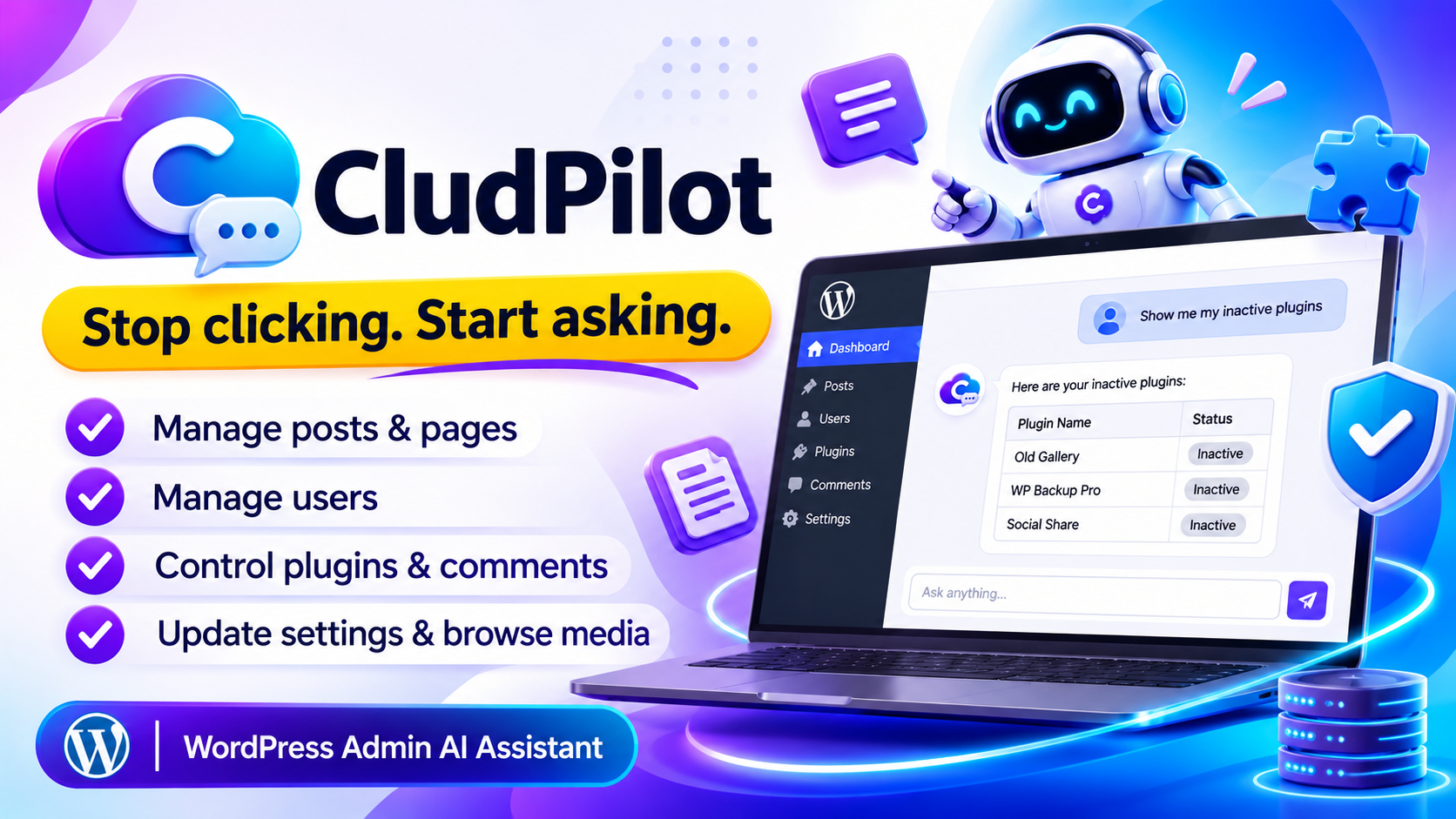
CludPilot
Manage your WordPress site by conversation. An AI assistant inside your admin that handles posts, users, plugins, comments and more in plain English.
Stop clicking through menus. Just ask.
CludPilot: an AI assistant inside your WordPress admin
CludPilot adds a chat panel to your WordPress dashboard, powered by Anthropic's Claude. Type what you want in plain English, and it runs the right WordPress action and shows you the result in a clean table.
It is built for administrators only, and your API key stays on your server. You bring your own Anthropic key and pay for the plugin once, with no monthly plugin subscription.
What you get
- Create, update, delete and inspect posts and pages
- List and create users with a secure auto-generated password
- View, activate and deactivate plugins
- Approve or delete comments, manage categories and browse media
- Read and safely update key site settings
- Quick-action chips and clear tool-result tables in the chat
- Translation-ready with the
claude-assistanttext domain
The real problem: simple tasks take too many clicks
The WordPress admin is powerful, but it is also a maze of menus. Even a small job means opening a screen, finding the right option, clicking through, and repeating the same steps again and again. For beginners it is even worse.
Lost in the menus
Posts, users, plugins, comments and settings all live on different screens. You have to remember where everything is.
Repetitive routine work
Approving comments one by one, checking which plugins are inactive, creating draft posts. The same small tasks eat time every week.
Confusing for non-technical people
Clients and team members get overwhelmed by the dashboard and keep asking you to do small things for them.
Constant context switching
Jumping between screens breaks your focus. A two-minute job turns into ten minutes of hunting and clicking.
Many AI tools for WordPress have problems of their own
- Many charge a monthly or yearly subscription
- Some keep your API key or data on someone else's servers
- Some can change anything on your site with no limits
- Some add extra database tables and make your site heavier
The solution: CludPilot turns your admin into a conversation
Each problem above is handled by a dedicated feature. Here is exactly what fixes what.
| Problem | How CludPilot solves it |
|---|---|
| Lost in the menus | One chat panel. Type what you want and the right action runs |
| Repetitive routine work | Approve or delete comments, list inactive plugins, create posts, all from a single message |
| Confusing for non-technical people | Plain English requests and quick-action chips. No menu knowledge needed |
| Context switching | Posts, users, plugins, comments, categories and media from one screen |
| Worry about security | Administrator only, nonce-verified, and your API key never reaches the browser |
| Fear of risky changes | Only a fixed allowlist of safe site options can be updated |
Install once, then just ask
Managing your site should not feel like a maze. Add your API key, and you can run everyday admin tasks the same way you would ask a colleague.
Save time
Skip the menu hunting. A task that took many clicks becomes one sentence.
Pay once for the plugin
No monthly plugin bill and no yearly renewal. You only pay Anthropic for the API you use.
Plain English
Say "create a draft post called Hello" or "show me my inactive plugins". No technical words needed.
Your key stays private
Requests to Anthropic run in PHP on your server. The key is never sent to the browser.
Light on your site
No extra database tables and under 1 MB of disk space. Just one wp_options row.
See what ran
Every action shows a WP Action bubble with a formatted table, so you always know what happened.
Two paths. Which one will you choose?
😟 Without CludPilot
- You hunt through menus for every small task
- Comments and plugins are managed one click at a time
- Beginners get lost in the dashboard
- You jump between many screens to finish one job
- Routine admin work eats your week
😎 With CludPilot
- You type what you want in plain English
- Posts, users, plugins and comments are handled from one chat
- Quick-action chips make it easy for beginners
- Results appear as clear tables right in the chat
- Admin work takes seconds, not minutes
What does it cost per site? See for yourself
Divide the license by the number of sites and each site costs very little. This is for the plugin only, Anthropic API usage is billed separately by Anthropic.
($29 / 10 sites)
($59 / 50 sites)
($129 / 100 sites)
And the plugin is a one-time payment. With subscription plugins you pay the same amount again every year.
Who is CludPilot for?
- WordPress site owners who want to manage their site faster
- Freelancers and agencies managing many client sites
- Beginners who find the WordPress dashboard confusing
- People tired of subscriptions who want a one-time plugin
Still thinking? Common questions
"Is it safe to let AI manage my site?"
Only administrators can use it, every request is nonce-verified, and settings changes are limited to a safe allowlist.
"Do I pay for the AI too?"
Yes, you bring your own Anthropic API key and pay Anthropic for usage. It depends on how many messages you send.
"Will it slow my site down?"
It adds no extra database tables and uses under 1 MB of disk space. It lives in your admin only.
Stop clicking. Start asking.
Starting at just $29. Pay once for the plugin, no plugin subscription. Anthropic API usage is billed separately.
Choose your plan → Admin only · API key stays on your server · Bring your own Anthropic keyFeatures
Posts & pages
List, create, update, delete and inspect, with title, content, status and type.
Users
List users with roles, or create new ones with a reset email sent automatically.
Plugins
See versions and active status. Activate or deactivate by name.
Site settings
Read site info and update only safe options like name, description and timezone.
Comments
List pending, approved or spam comments. Approve or delete them.
Categories
List categories with post counts and create new ones on the fly.
Media library
Browse recent attachments with titles, types and direct URLs.
Secure by default
Administrator only, nonce-verified, and your API key never reaches the browser.
Translation ready
Add .po / .mo files to /languages/ to translate the interface.
How it works
Ready in under two minutes. The assistant is under CludPilot in your admin menu.
- Upload and activateAdd the plugin ZIP from Plugins → Add New, then activate it.
- Add your Anthropic API keyPaste it under CludPilot → Settings. Get one at console.anthropic.com.
- Ask in plain EnglishClick a quick-action chip or type something like "create a draft post called Hello".
- See the resultA WP Action bubble shows what ran, with a formatted table of the data.
Press Enter to send and Shift + Enter for a new line. The trash icon clears the conversation.
Built with security in mind
| Protection | How it works |
|---|---|
| Server-side API proxy | Requests to Anthropic run in PHP. Your key is never sent to the browser. |
| Nonce verification | Every AJAX request is checked to block CSRF attacks. |
| Capability checks | Only users with manage_options (administrators) can use it. |
| Option allowlist | Only a fixed list of safe site options can be changed. |
| Sanitized input & escaped output | All data is cleaned on the way in and escaped on the way out. |
Requirements
| Requirement | Needed |
|---|---|
| WordPress | 5.8+ |
| PHP | 7.4+ |
| Anthropic API key | From console.anthropic.com (usage-based billing) |
| Outbound HTTPS | Server must reach api.anthropic.com on port 443 |
Compare plans
- License: 10 Site License
- 1-CLICK WordPress Plugin
- Newbie Friendly
- No tech skills needed
- 6 months of updates
- Standard email support
- Posts & pages management by chat
- Site info & safe settings updates
- License: 50 Site License
- 1-CLICK WordPress Plugin
- Newbie Friendly
- No tech skills needed
- 1 year of updates
- Priority support
- Plugin activate / deactivate by name
- Comment moderation & categories
- License: 100 Site License
- 1-CLICK WordPress Plugin
- Newbie Friendly
- No tech skills needed
- Lifetime updates
- Priority support + setup help
- User creation with reset emails
- Media library browsing & translation files
Every plan includes the full plugin. Plans differ in licenses, updates and support. You pay Anthropic separately for API usage.
Questions
Where do I get an Anthropic API key?
Sign up at console.anthropic.com, open API Keys, create a key and paste it into CludPilot → Settings.
Is my API key safe?
Yes. It is stored in the database and used only on the server. It is never exposed to the browser or the page source.
Who can use the assistant?
Only administrators with the manage_options capability. Editors, authors and subscribers cannot access it.
How much does the API cost?
It is usage-based and depends on how many messages you send. Monitor usage at console.anthropic.com.
Does it work on Multisite?
Yes, when activated per site. Network-wide management across all sites is not supported.
Does it create database tables?
No. It stores one wp_options row, which is removed automatically when you delete the plugin.