
CheckoutCraft
Add unlimited custom fields to your WooCommerce checkout — no code needed.
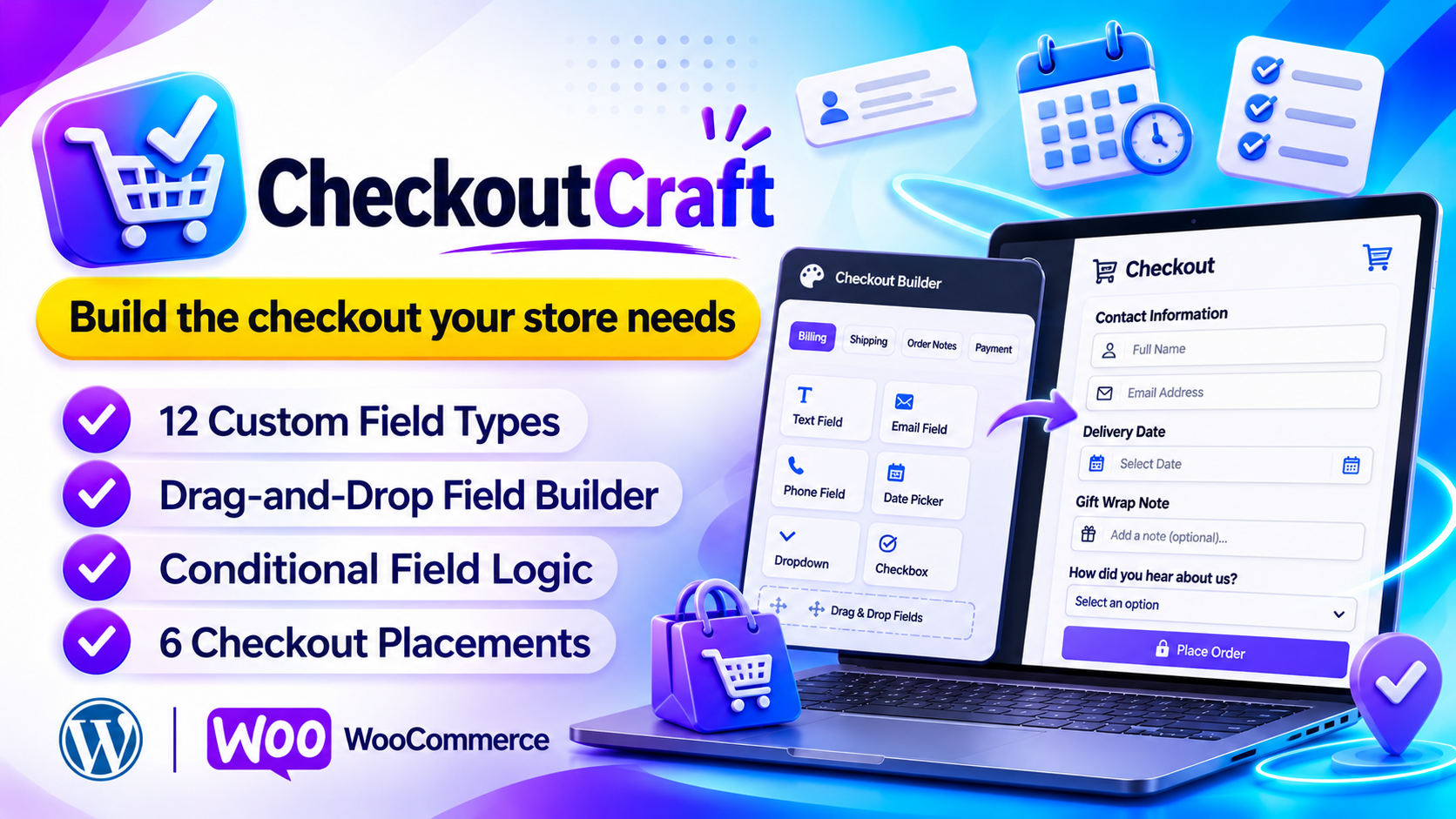
Get the checkout fields you actually need
CheckoutCraft: custom checkout fields built right into WooCommerce
CheckoutCraft lets you ask for VAT numbers, delivery dates, gift notes or anything else right on the WooCommerce checkout. You build every field in one admin screen, drag it where you want it, and it goes live straight away.
No code, no theme editing and no extra database tables. You pay once for the plugin, with no subscription.
What you get
- Unlimited custom fields on Billing, Shipping, Order Notes and Payment areas
- Drag-and-drop builder — reorder fields or move them between sections
- Conditional logic (AND / OR) to show a field only when it matters
- Required, min/max length, regex and custom error messages
- Values shown in admin orders, emails and the thank-you page
- JSON import / export to copy your setup to any other store
- Translation-ready with an included .pot file
The real problem: the default checkout asks too little
A standard WooCommerce checkout collects the basics and nothing more. The moment you need one extra piece of information from a customer, you hit a wall.
No place for extra details
VAT numbers, delivery dates and gift notes have nowhere to go, so you chase customers by email after they pay.
Code or developer needed
Adding a field by hand means editing theme files or code snippets, which is risky and breaks on updates.
Every customer sees every field
Without rules, a field meant for one case clutters the checkout for everyone else.
Answers get lost
Even when you collect extra info, it often never reaches the order screen, the emails or the thank-you page.
Many checkout field tools have problems of their own
- Some only work on the Classic checkout and ignore the Block Checkout
- Some check input only in the browser, so it can be bypassed
- Some create extra database tables and load assets on every page
- Some make it hard to move your setup to another store
The solution: CheckoutCraft gives you the exact fields you need
Each problem above is handled by a dedicated feature. Here is exactly what fixes what.
| Problem | How CheckoutCraft solves it |
|---|---|
| No place for extra details | 12 field types in 6 placements: Billing, Shipping, around Order Notes and around Payment |
| Code or developer needed | A visual builder at WooCommerce → Checkout Fields. Pick a type, fill in the basics, save, and it is live |
| Every customer sees every field | Conditional logic (Equals, Not Equals, Contains, Is Empty, Is Not Empty) on the Classic Checkout |
| Bad or missing input | Required, min/max length, regex and custom error messages, checked in the browser and again on the server |
| Answers get lost | Values show in admin orders, emails and the thank-you page, with a global switch and a per-field toggle |
| Classic or Block Checkout | CheckoutCraft detects which one your store uses and registers fields to match |
| Moving to another store | JSON import / export with Replace and Merge modes |
Build once, then let it run
Open the Field Manager, add your fields, set a few rules, and your checkout asks the right questions from then on.
No code at all
Build and place every field from one admin screen, with changes saved automatically.
Only ask what matters
Conditional logic shows a field only when it is relevant, so the checkout stays short.
Validation that holds
Rules run in the browser and again on the server, so they can't be bypassed.
Answers where you need them
See values in admin orders, emails and the thank-you page.
Light on your site
Assets load only on checkout and the plugin's own admin page. No extra database tables.
Copy your setup anywhere
Export a JSON backup and restore it on any other store running the plugin.
Two paths. Which one will you choose?
😟 Without CheckoutCraft
- Extra details are chased by email after payment
- Every new field needs code or a developer
- Every customer sees every field
- Answers don't reach orders or emails
- Setting up a second store means starting over
😎 With CheckoutCraft
- The checkout collects what you need up front
- Fields are built visually, with no code
- Fields appear only when they matter
- Values show in orders, emails and the thank-you page
- One JSON file copies your setup to any store
What does it cost per site? See for yourself
Divide the license by the number of sites and each site costs very little.
($29 / 10 sites)
($59 / 50 sites)
($129 / 100 sites)
One-time payment. No subscription.
Who is CheckoutCraft for?
- WooCommerce store owners who need extra details at checkout
- Shops that take B2B orders and must collect VAT numbers
- Stores selling gifts or scheduled deliveries
- Freelancers and agencies building WooCommerce stores for clients
Still thinking? Common questions
"Do I need to code?"
No. Everything is built in the Field Manager with no code and no theme editing.
"Which checkout does it support?"
Both. It detects Classic or Block Checkout and registers fields to match.
"Will it slow my store?"
No. Assets load only where needed and no extra database tables are added.
Ask the right questions at checkout.
Starting at just $29. Pay once, no subscription.
Choose your plan → 12 field types · Conditional logic · HPOS readyFeatures
12 field types
Text, Textarea, Select, Radio, Checkbox, Number, Email, Phone, Date, Time, Heading and Hidden.
6 placements
Billing, Shipping, before/after Order Notes, before/after Payment.
Visual builder
Changes save automatically. Disable a field to hide it but keep its settings.
Conditional logic
Equals, Not Equals, Contains, Is Empty, Is Not Empty. Re-checked on the server.
Validation
Checked in the browser and again on the server, so it can't be bypassed.
Display controls
Global switch plus a per-field toggle for orders, emails and thank-you page.
Import / Export
Replace mode wipes and applies the file; Merge mode adds on top of existing fields.
Light on your site
Assets load only on checkout and the plugin's own admin page. No extra database tables.
Translation ready
Fully internationalized so it speaks your store's language.
Field types on Block Checkout
| Type | Use it for | Block Checkout |
|---|---|---|
| Text | Short single-line answers | Full |
| Textarea | Longer multi-line notes | As text |
| Select | A dropdown of choices | Full |
| Radio | Pick one from a visible list | As dropdown |
| Checkbox | A single yes/no agreement | Full |
| Number, Email, Phone | Numeric, email and phone input | Full |
| Date, Time | YYYY-MM-DD and HH:MM | Full |
| Heading, Hidden | Visual divider; stored hidden value | Not supported |
How it works
Everything lives at WooCommerce → Checkout Fields, with three tabs: Field Manager, Settings and Import / Export.
- Pick a field typeClick any type in the left sidebar of the Field Manager.
- Fill in the basicsSet the label, placeholder, description and where it appears.
- Add optionsFor Select and Radio, add each choice with its own value and label.
- Set rules (optional)Add conditional logic and validation.
- Save — it's liveThe field shows up on your checkout immediately.
Classic vs Block Checkout
CheckoutCraft detects which checkout your store uses and registers fields to match. Nothing to configure.
| Capability | Classic | Block |
|---|---|---|
| All 12 field types | Yes | 10 of 12 |
| Heading & Hidden fields | Yes | No |
| Validation | Yes | Yes |
| Conditional logic | Yes | No |
| Order / email / thank-you display | Yes | Yes |
Which should I use? If you need conditional logic or Heading/Hidden fields, use Classic Checkout. Block Checkout (WooCommerce 8.6+) works well for standard fields with validation.
Compare plans
- License: 10 Site License
- 1-CLICK WordPress Plugin
- Newbie Friendly
- No tech skills needed
- 6 months of updates
- Standard email support
- Full plugin, all features included
- All 12 field types in every plan
- License: 50 Site License
- 1-CLICK WordPress Plugin
- Newbie Friendly
- No tech skills needed
- 1 year of updates
- Priority support
- Full plugin, all features included
- All 12 field types in every plan
- License: 100 Site License
- 1-CLICK WordPress Plugin
- Newbie Friendly
- No tech skills needed
- Lifetime updates
- Priority support + setup help
- Full plugin, all features included
- All 12 field types in every plan
Every plan includes the full plugin. Plans differ in licenses, updates and support.
Questions
Does this work with the WooCommerce Block Checkout?
Yes. Compatible fields use the official Block Checkout field API (WooCommerce 8.6+). Heading and Hidden fields, and conditional logic, are Classic-only.
Where are the field values stored?
As order meta on each WooCommerce order. Classic uses _checkoutcraft_{field_id}; Block Checkout uses WooCommerce's own additional-field keys.
Can I reorder fields?
Yes. Drag cards within a section to reorder, or into another section to move them. Changes save automatically.
Can I move my fields to another site?
Yes. Download a JSON backup from Import / Export and restore it on any site running the plugin.
Will it slow down my site?
No. Assets load only on checkout and the plugin's own admin page, and it adds no database tables.
Is it HPOS compatible?
Yes, full HPOS compatibility is declared.
What happens to my data if I uninstall?
All data is kept by default so you can reinstall without losing your setup. Turn on the clean-removal switch in Settings for a full wipe.